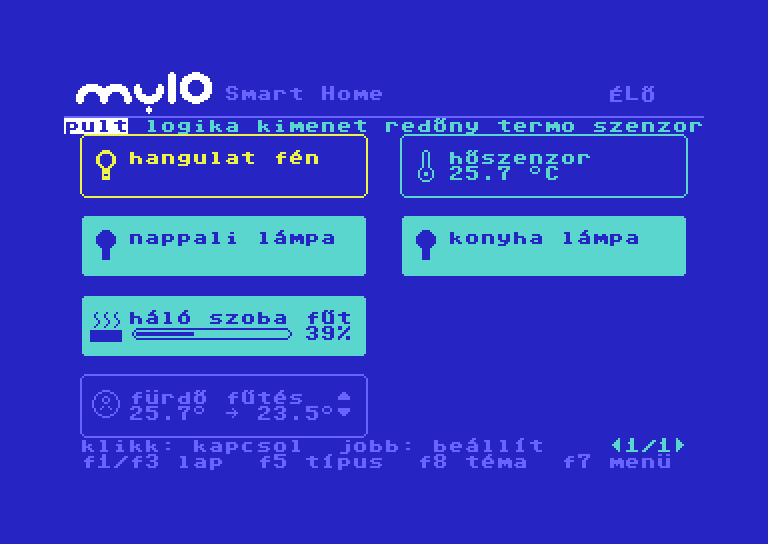
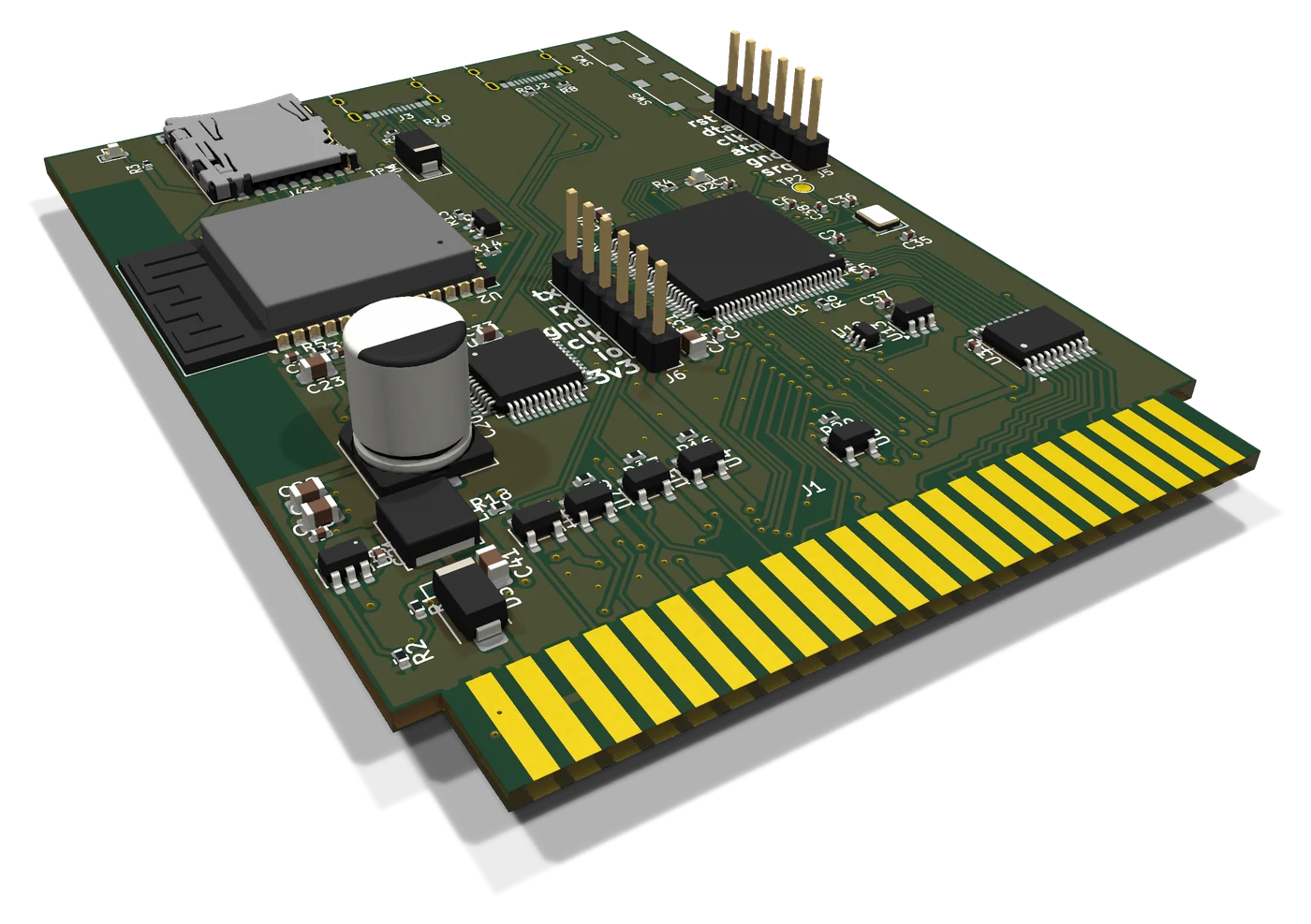
The cartridge goes into the expansion port of the C64, and the machine then runs the same house as the myIO App: lights, blinds, heating, sensors. If there is no C64 at hand, the cartridge emulates one, and a browser draws the picture.
A working prototype, not a product. It is one of the experiments in the myIO Lab. The first boards were finished in September 2026: the main menu, the dashboard, the 3D view, the games, the web interface, the monitor and the MCP server run on a real Commodore 64. The built-in emulator and the SID sound in the browser were added in October 2026.
The screens of the cartridge and the user manual are in Hungarian.
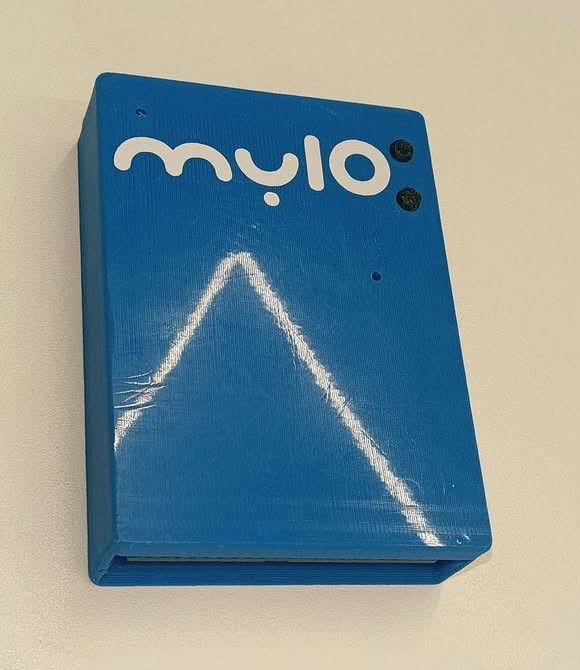
Ten items, one key press each
The cartridge ROM is only a loader: every screen is a program on the cartridge, so an update never has to touch the ROM. The main menu starts each of these with one key:
- 1 AI assistant: chat, and on request it writes a program in BASIC or machine code
- 2 myIO Smart Home: the graphical dashboard
- 3 myIO 3D: an X-ray of the house
- 4 myIO minimal: a PETSCII list
- 5 settings: WiFi, controller, AI
- 6 files: PRG, D64 and T64 from the microSD card
- 7 BASIC
- 8 about the cartridge
- 9 ESP player: Doom, games, emulators
- 0 credits
A tile dashboard in 40 × 25 characters
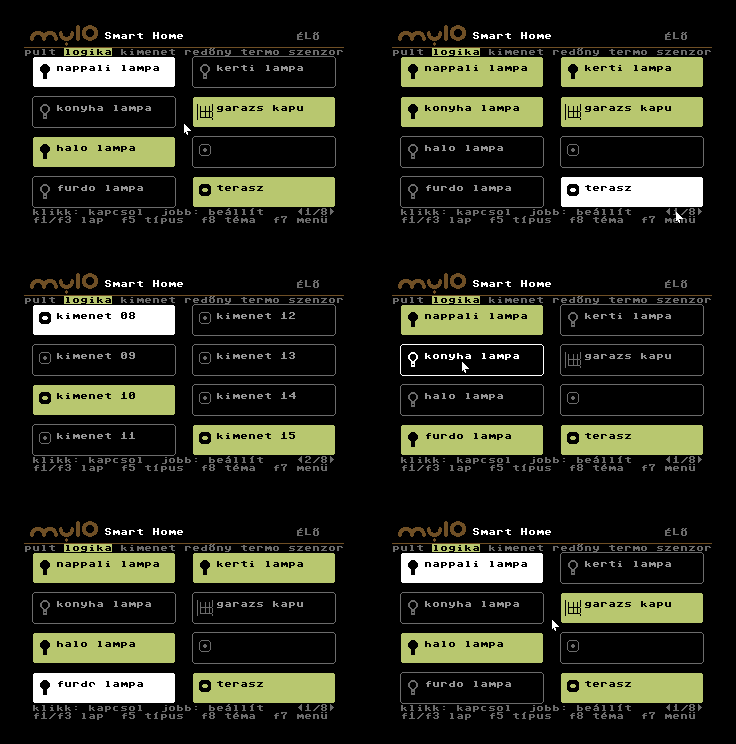
The same devices as in the myIO App, on tabs: dashboard, logic, outputs, blinds, thermostats, sensors.
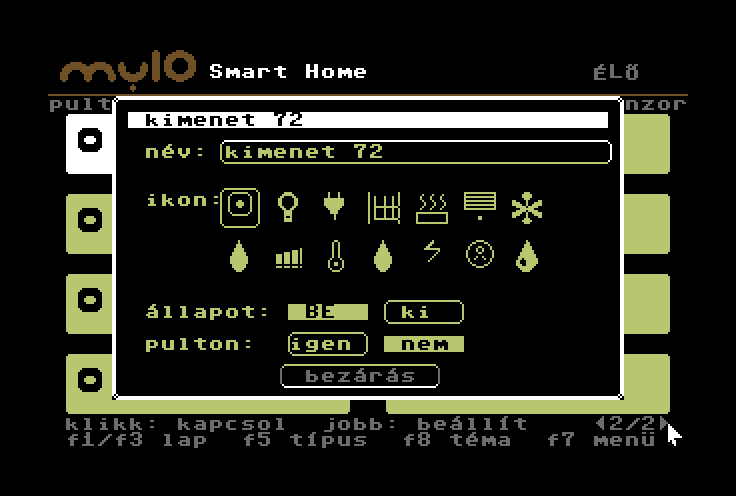
- A click switches; the right button opens the settings of the tile (name, icon, whether it is on the dashboard).
- Dimmers and heating have a slider, sensors show their unit.
- F1/F3 or the arrows at the bottom right turn the page, F5 changes the type, F8 changes the theme, F7 goes back to the menu.
- The header shows whether the data is live from the controller or demo data.
An X-ray of the house
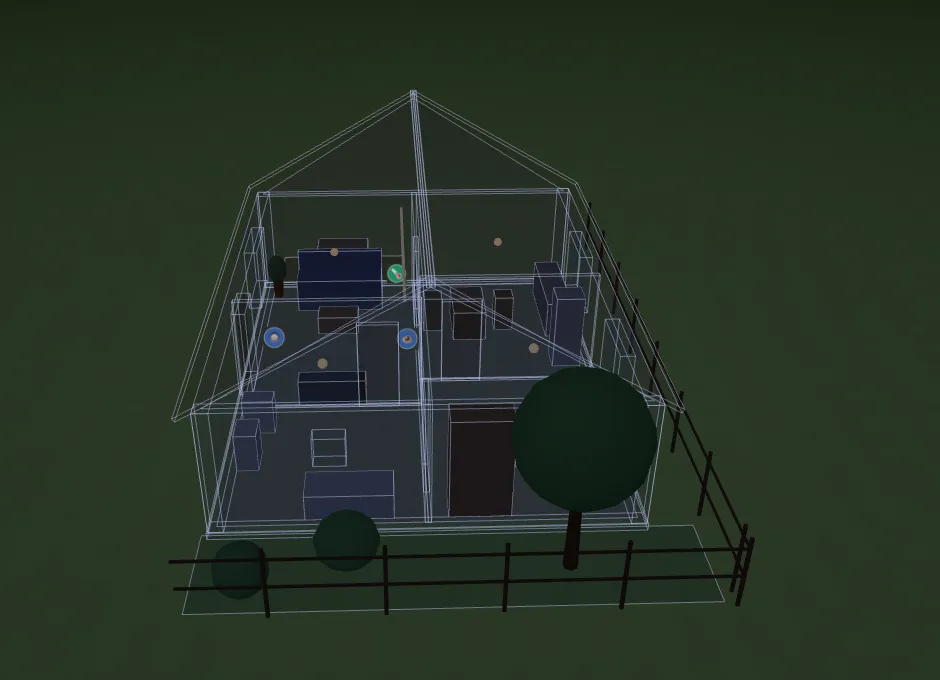
A wireframe 3D house built from the myIO floor plan, with the device icons in their places. Where a light is on, the floor of the room lights up; the floor of a heated room turns reddish. You rotate, move and zoom the house with the mouse.
The cartridge calculates the picture and the C64 only displays it, which is why the movement stays smooth.
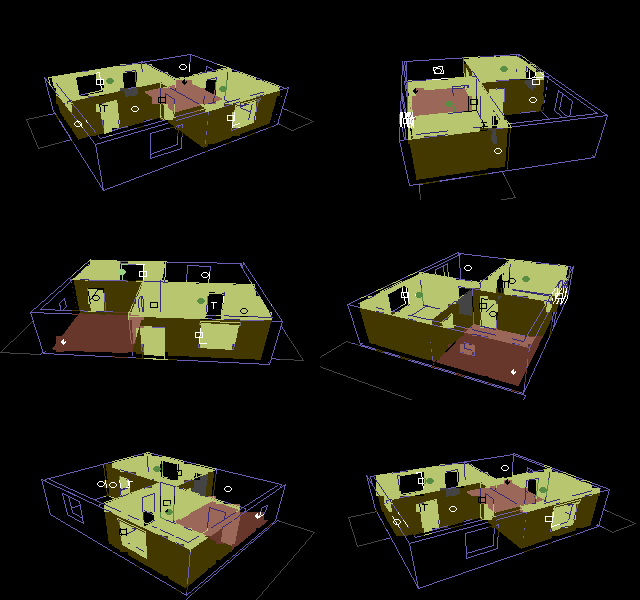
Your own house, from the Studio
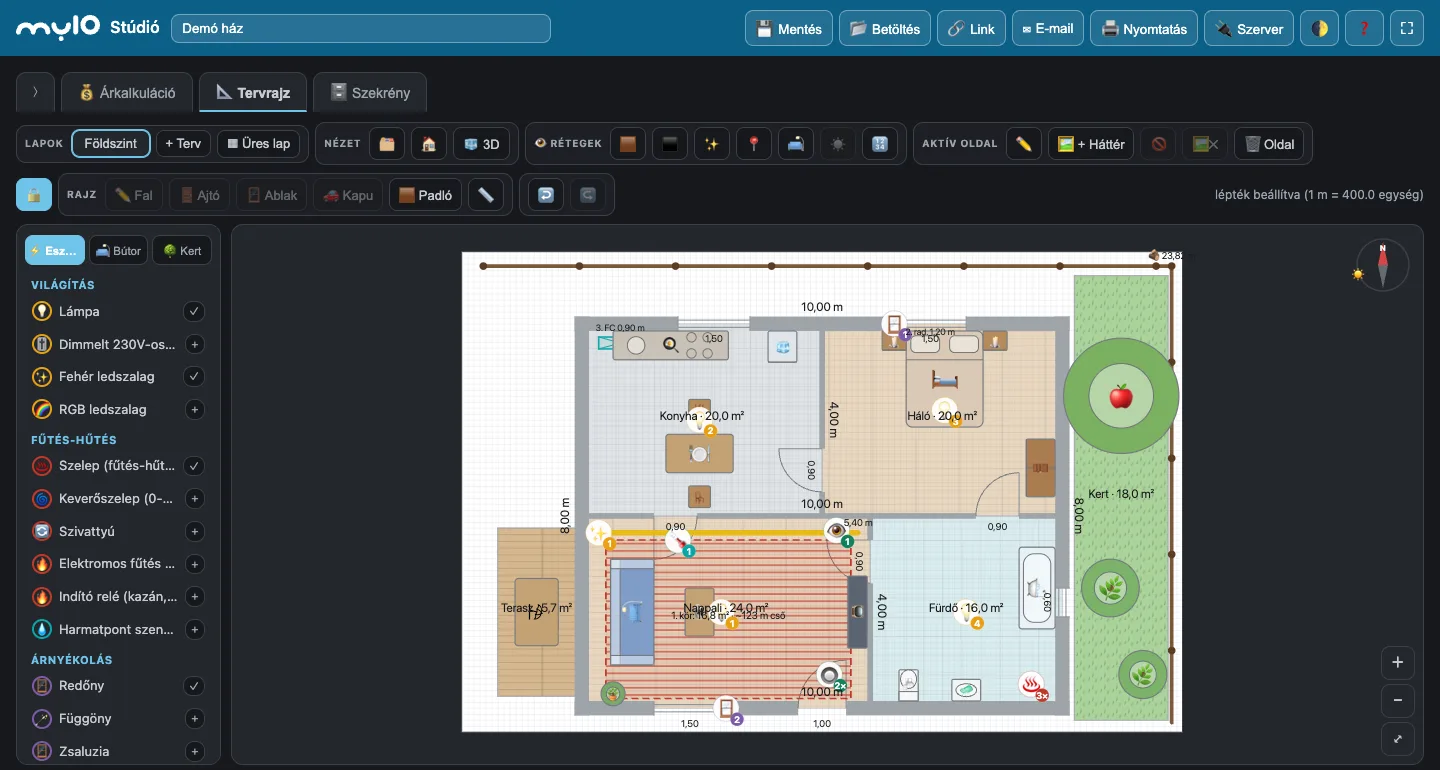
The 3D view is not a built-in house. A floor plan drawn in the myIO Studio goes over to the C64 with one click: walls, doors, windows, rooms and the devices you placed, linked to the myIO outputs.
- Draw the house in the Studio, or load the demo house from the ❓ menu.
- The 🕹️ C64 button of the Studio downloads the house as a
house.jsnfile. - In the web interface of the cartridge, on the Files tab, upload it into the
/myiofolder ashouse.jsn. - In the C64 main menu, myIO 3D now draws your house, with the real state of the lights, the blinds and the heating.
Doom on a 1 MHz machine
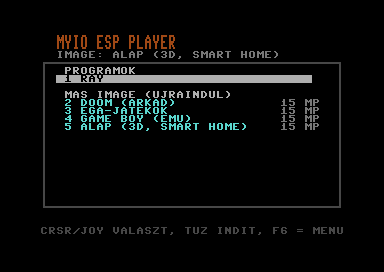
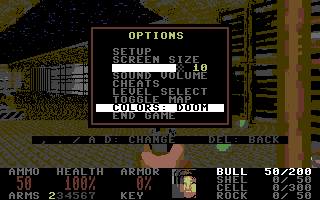
The ESP player runs games and emulators: the processor of the cartridge runs the program and writes each finished frame into the C64 memory by DMA. The C64 controls it with a joystick or the keyboard. You can choose:
- Doom (the free Freedoom version), with the picture converted to the C64 palette;
- EGA games: Catacomb Abyss, BioMenace;
- a Game Boy emulator;
- the default: the 3D view and Smart Home.
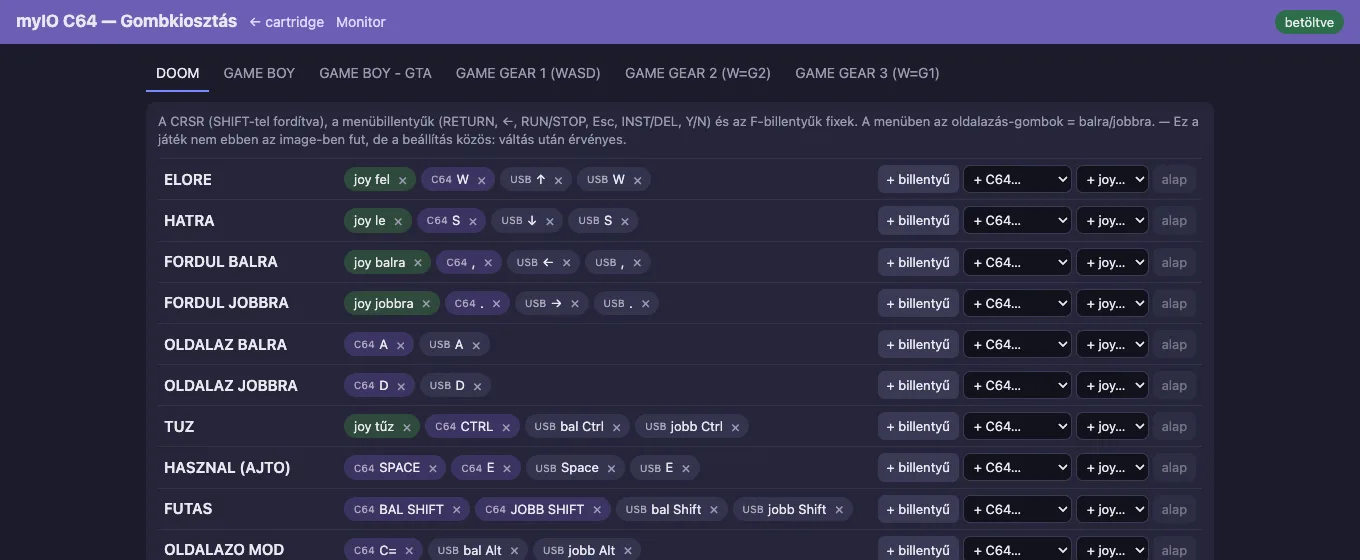
Switching restarts the cartridge, which takes about 15 seconds. The key mapping is set in the web interface.
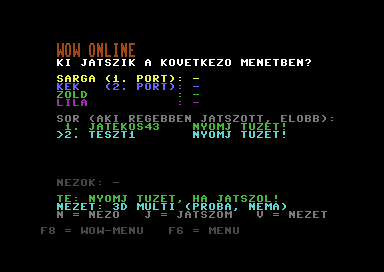
Wizard of Wor over the network, between two real C64s
One cartridge is the server: the game runs in its built-in C64 emulator. The C64s of the players draw the maze with their own video chip and play the sound on their own SID, at 50 frames per second; only the joystick and the changes of the game state travel over WiFi. Anyone can watch from a browser, or join the queue, from a phone too.
- Rooms on the local network: you open a new room on one machine, and the other finds it by itself.
- The queue decides who plays: between rounds you have three seconds to press fire for a seat; at the end of the round the players go to the back of the queue.
- Four players: everyone against everyone, two against two, or together against the monsters.
- Not video: the server sends the difference of the C64 state, about 60 bytes per frame; the picture is put together on the receiving machine.
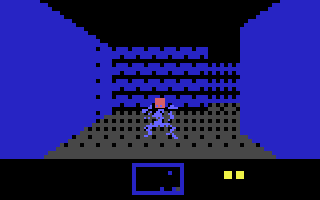
The 3D view: when your radar is shot out
In the 3D version of the game, the first hit does not cost a life: it “shoots out the radar”, and the wounded player sees the maze from the inside, from the corridor, with a short spell of invulnerability. The next hit does cost a life, and takes you back to the top view. The 3D view appears only on the screen of the wounded player, while the others see the maze; someone playing from a browser gets it too when they are hit.
Controls in 3D: left and right turn by 90 degrees, up moves forward, down turns around. Fire shoots in the direction you are looking, the impact shows on the wall, and through the open side doors you can see across to the other side.
Wizard of Wor belongs to its rights holder; the game file is not part of the cartridge, and we try the network version in a closed circle.
Without a C64: the cartridge emulates one
A complete Commodore 64 also runs inside the cartridge, as its own emulator. On USB-C power, without a C64, it starts by itself, and everything works as on the real machine: the menu, Smart Home, the 3D house, the AI assistant, the @ commands in BASIC and the games. A browser draws the picture, on a phone too.
- It starts by itself when there is no powered C64 on the port. When you switch the C64 on, the emulator steps aside and the menu comes up on the real machine.
- Input: a USB keyboard plugged into the cartridge, the keyboard and mouse of the browser, a touchpad and keyboard on a phone. The joystick works from the keyboard.
- Without WiFi too: the phone joins the cartridge’s own network, and the machine runs there.
- True to the picture: line-by-line rendering (raster splits, sprite multiplexers, open borders) and sprite collisions, matching the pictures of the VICE emulator pixel for pixel; 50 frames per second, in real time.
- The freezer, the machine-code monitor, the AI tab and the MCP server work on the emulator as well.
- The original C64 ROMs (KERNAL, BASIC, character set) have to be uploaded in the web interface; the cartridge does not include them. Without them the built-in MEGA65 Open ROMs start: plain BASIC works, the cartridge menu does not.
Dead SID? The sound plays from your laptop or phone
The cartridge watches the C64 bus and catches every write a program makes to the SID. A browser synthesises the sound from these: with one button, a laptop, a phone or a pair of headphones plays the music of the C64.
The sound is made from the writes of the processor, not from the output of the SID chip, so it plays even when the SID in the machine no longer gives any sound. That is how we tried it: the TV stayed silent, and the browser played the tune.
- It works on a real C64 and on the built-in emulator, with or without the live picture.
- The delay is about 0.35 seconds. The synthesis is an approximation of the 6581 SID: three voices, envelope, filter; digitised samples play more quietly.
- Nothing to set up: one button switches it on and off.
The path: the program on the C64 writes to the SID → the STM32 catches the writes on the bus → the ESP32 logs them with timestamps → the browser plays them.
The cartridge in the browser
The cartridge serves its own web page on the local network, at c64cart.local. If it finds no known WiFi, it opens its own access point, so the first setup works too. It can be protected with a password.
- Status: WiFi, memory, microSD, the connection to the myIO controller and the AI endpoint at a glance.
- Typing: type text or a BASIC program into the C64, with function keys and RUN/STOP from the browser.
- Files: a two-pane file manager between the internal storage and the microSD card: upload, download, BASIC listing, hex view, and run on the C64 with one click.
- Program library: search and download C64 programs from an online catalogue. When you download, the cartridge tells you if a program uses its own fast loader.
- Settings, Tiles: WiFi, myIO controller, AI endpoint, typing speed, microSD; the name, icon and place of the Smart Home tiles.
- Cartridge, Update, Log: ROM upload with a checksum, firmware update over WiFi, event log.
- Keys: the key mapping of the games, per game; C64 keys, USB keys and the joystick can all be assigned.
- Monitor: live picture, machine-code monitor and AI assistant, in detail below.
Inside the running C64, and an AI that can see it
The monitor page builds on the freezer of the cartridge: it stops the running program for a few milliseconds, reads it out, and lets it go on. The program on the C64 notices nothing.
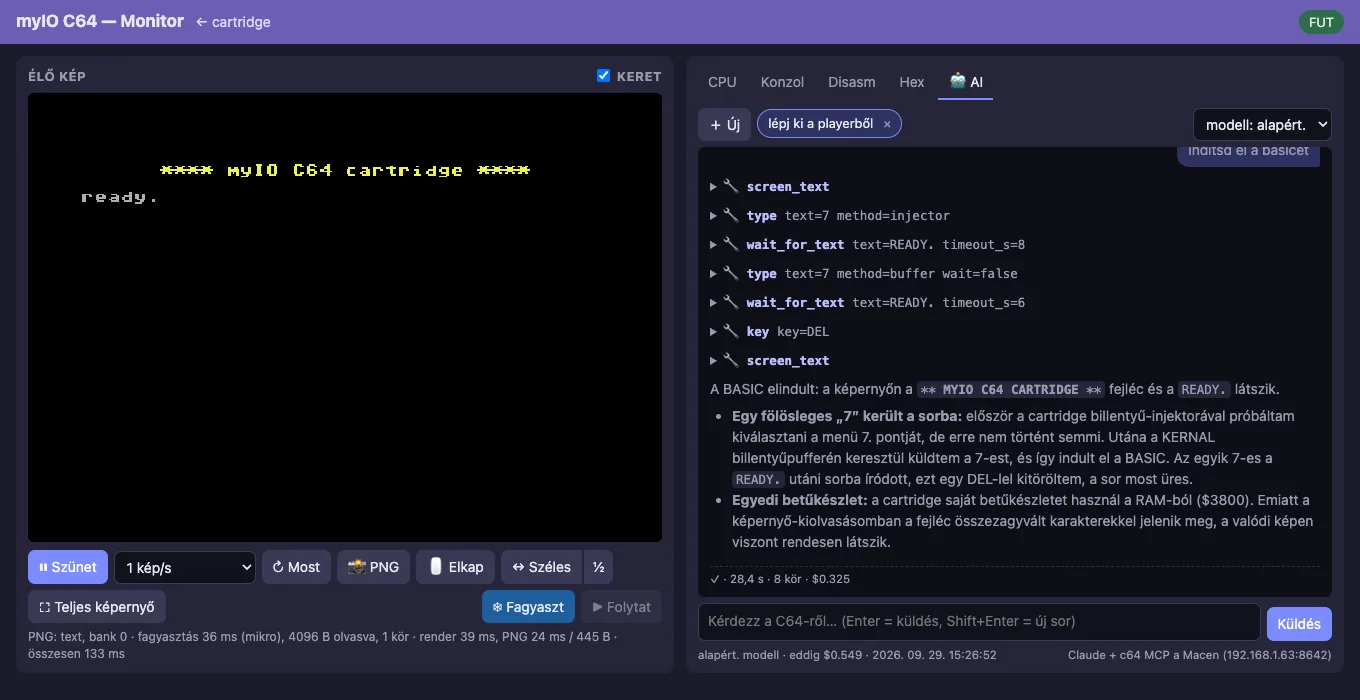
Live picture and monitor
- Live picture of the C64 screen, with an adjustable refresh rate, in wide and full-screen mode.
- Capture: click on the picture, and the mouse and keyboard control the C64; Esc releases them.
- Freeze and resume: the program stops, and the processor registers and the memory can be examined in peace.
- CPU, Console, Disasm and Hex tabs: registers and VIC, CIA and SID decoding, monitor commands in VICE syntax, disassembly that follows the program counter, reading and writing memory.
The AI tab
- You ask in plain language: “What is on the screen now?”, “List the BASIC program and explain it”, “Write a border colour cycling routine at $C000 and start it”.
- To answer, the AI uses the same tools as the monitor: it reads, types, sets breakpoints, assembles machine code and writes it into memory. Every step can be opened in the conversation.
- The conversations are kept, and you can choose the model.
AI without an API key
The cartridge stores no API key. A small helper program on a computer on the local network serves the AI: it calls the Claude Code command-line program, so it runs on an existing Claude subscription. In the settings of the cartridge you only enter its address.
Instead of Claude you can choose another back end: a local Ollama model, or any OpenAI-compatible server. The latter need a key.
A real C64 as an AI tool
The cartridge also comes with an MCP (Model Context Protocol) server: it hands the monitor to any MCP-capable AI client as a set of tools. It is not an emulator: every call runs on the machine that is plugged in, and writes are real.
| Group | Tools | What for |
|---|---|---|
| Seeing | c64_, c64_, c64_, c64_ |
The screen as text or as a picture, the state of the machine, the event log of the freezer. |
| Memory | c64_, c64_, c64_, c64_, c64_ |
Reading and writing in CPU, RAM or I/O view, searching, listing the BASIC program. |
| Control | c64_, c64_, c64_, c64_ |
Stopping and resuming, changing the registers, leaving the player view. |
| Debugging | c64_, c64_, c64_, c64_, c64_, c64_ |
Breakpoints, 6510 disassembly and assembly, a monitor in VICE syntax, VIC, CIA and SID decoding. |
| Input | c64_, c64_, c64_, c64_ |
Typing, function keys, waiting for a text, loading a PRG from the computer. |
Reading a screen as text stops the machine for about 3 ms, a bitmap picture for 11–24 ms. The pictures marked “real C64” on this page were made the same way: the screenshot is drawn from the registers of the VIC-II and the video memory.
The C64 never sees JSON
Three layers, each doing what it is good at. The ESP32 holds the whole state of the house and the names, and the C64 gets finished, fixed-length frames. The myIO controller always sees the load of a single client, whatever is being pressed on the C64.
The path of the data: myIO controller (HTTP, UDP) → WiFi → ESP32-S3 (mirror, graphics) → UART, 4 Mbps → STM32F405 (serves the bus) → expansion port → C64 (6510, 1 MHz).
- STM32F405 (168 MHz): answers on the C64 bus like an EPROM; an 8 KB ROM window, registers, a 256-byte mailbox, the freezer.
- ESP32-S3 (16 MB flash, 8 MB PSRAM, WiFi): programs, rendering, the myIO client, the web server.
- CH9350L: USB HID host for a standard USB mouse and keyboard.
- microSD: programs, disk images, game data.
- 74LVC245: buffer for the 5 V data bus towards the C64.
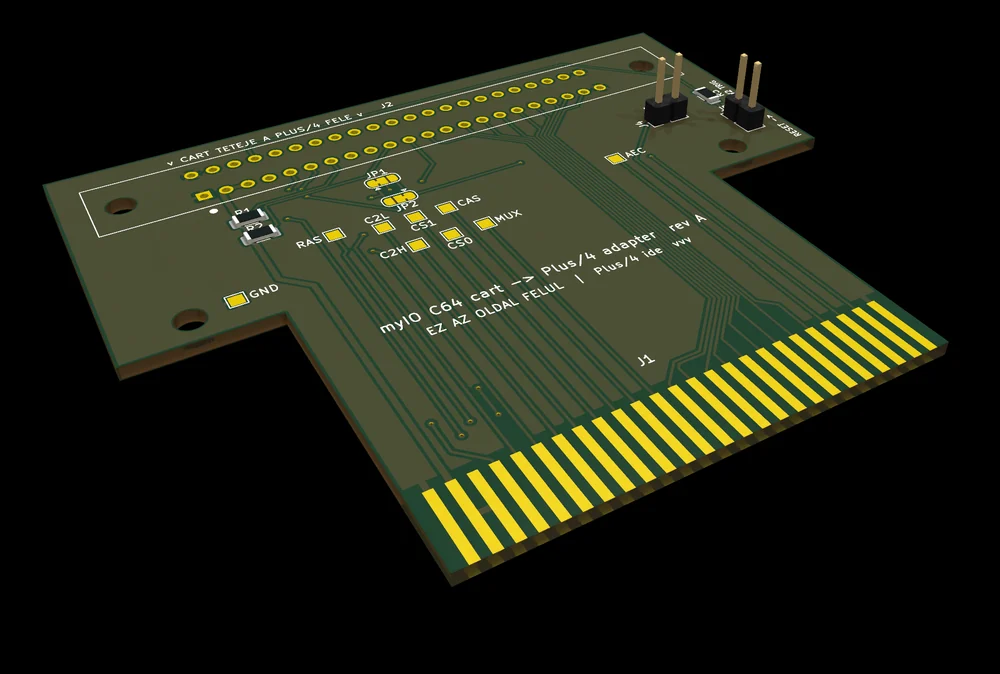
On the Plus/4 too: the same cartridge, with an adapter
With an adapter board, the cartridge also plugs into the expansion port of the Commodore Plus/4. The port is work in progress; this is what already runs on a real Plus/4 today:
- The menu and the files: folders, disk images, starting programs, BASIC.
- A C64 emulator on the Plus/4: the C64 built into the cartridge appears on the screen of the Plus/4, controlled by the keyboard and joystick of the Plus/4.
- In Plus/4 colours: the cartridge draws the picture, choosing from the 121 colours of the machine; multicolour pictures of the C64 are shown in the multicolour mode of the Plus/4.
On the Plus/4 the picture comes straight from the cartridge: the video chip of the machine, the TED, reads the bitmap and the colours from there, and the processor does not have to copy anything. This way we measured 49 full frames per second.
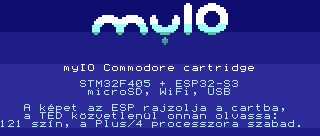
Still to come: the 3D house, Smart Home and the games. The freezer and the MCP server do not carry over in their present form, because the expansion port of the Plus/4 lacks the signals they need.
About the pictures and the manual
The pictures marked “real C64” were taken from the running machine, with the cartridge’s own screenshot function. The one marked “emulator” was made on the built-in emulator of the cartridge, without a C64. For those marked “simulator”, the same program or rendering code runs on the development computer: Smart Home in a 6502 emulator, the 3D house with the renderer of the cartridge, the Plus/4 screen with the drawing and encoding code of the cartridge.
Setup, the menus and the @ commands in BASIC are described step by step, with eight tested sample programs, in the user manual (in Hungarian).