No lock-in, and no dependence. The heating, the lighting and the timers run in myIO itself. If Home Assistant, Homey or the internet stops, the house carries on just the same. Integration is an extra: you reach for it when you already have a system you like, or when a device arrives that no cable can reach.
What works with what?
| V3 | V4 GIGA | V4 Opta | |
|---|---|---|---|
| Home Assistant | yes | yes | yes |
| Homey | yes | yes | yes |
| AI assistant (Claude, ChatGPT) | yes | yes | yes |
| Matter: Google Home, Alexa, Apple Home | beta | beta | beta |
| Computherm Wi‑Fi thermostat, Broadlink | yes | yes | yes |
| Shelly | – | coming soon | coming soon |
| KNX (KNX Bridge) | – | coming soon | beta |
| MQTT for other systems | yes | yes | yes |
The controllers are compared on the Which myIO is right for me? page. How you control the house, from the wall button to the app, is described on the Control page.
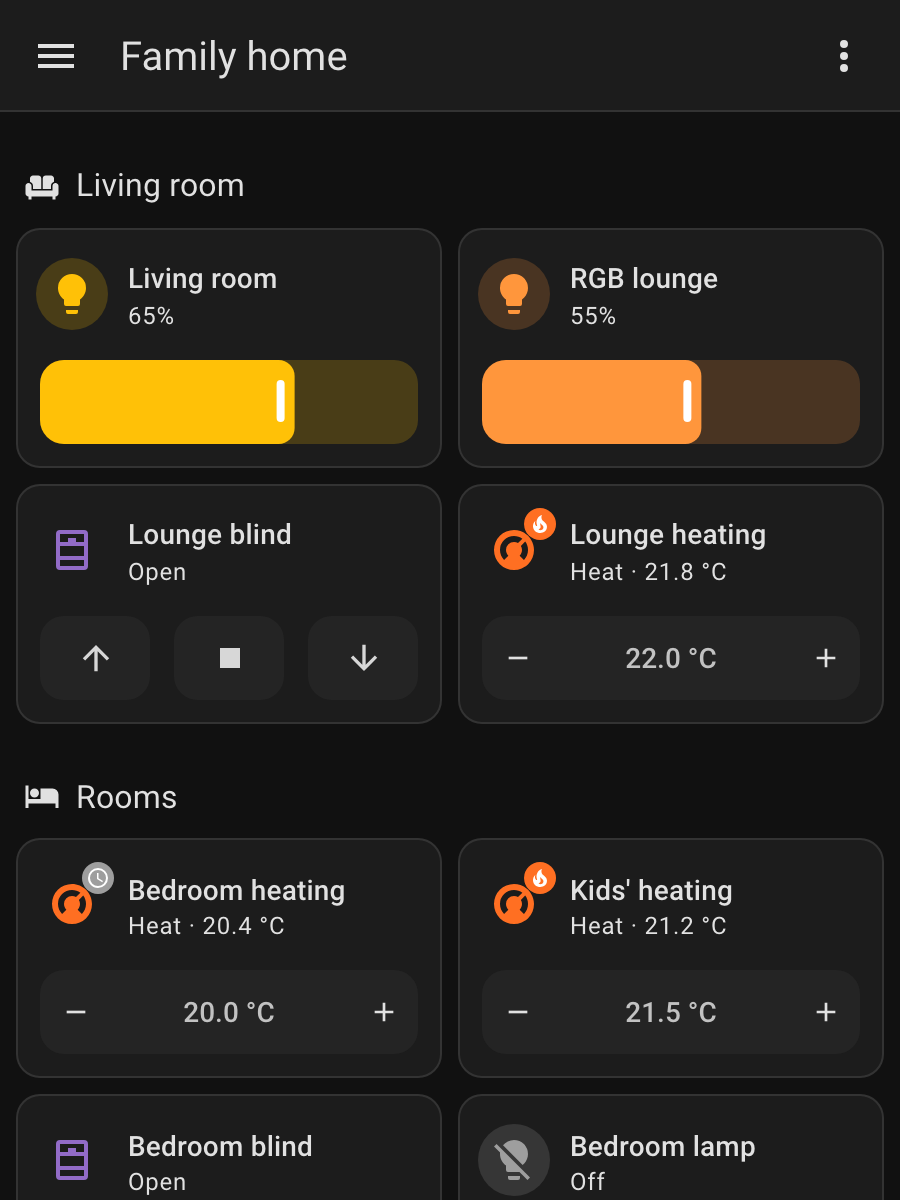
Home Assistant: it just appears
Home Assistant is the most widely used open-source smart-home hub. myIO needs no separate add-on in it: on myIO you enter where to find Home Assistant’s message hub (the MQTT broker, which is an installable add-on in Home Assistant), and your devices appear by themselves, with the names you gave them on myIO.
- Lamps: with a switch, the dimmable ones with a brightness slider, colour LED strips with a colour picker.
- Blinds: with up, stop and down buttons.
- Heating and cooling: one thermostat per zone, with the measured and the set temperature.
- Sensors: temperature, humidity and power consumption, with charts and statistics.
The connection works both ways. What you switch with the wall button shows up in Home Assistant at once, and what you set there is carried out by myIO. So you can use myIO devices in Home Assistant automations and scenes together with anything else you have there: the TV, the robot vacuum or the weather forecast.
It works on every myIO, V3 included.
Homey: an official myIO app
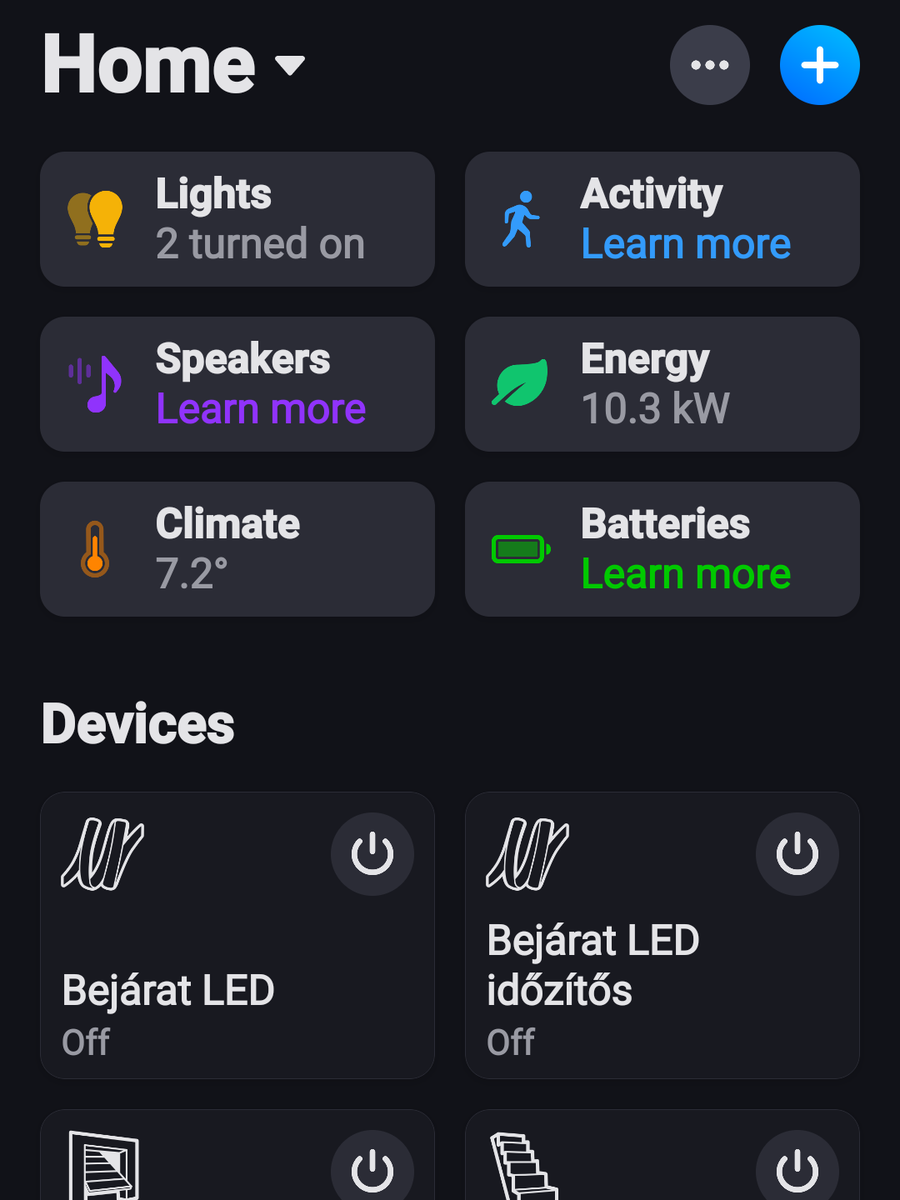
Homey is an easy-to-use smart-home hub for devices from many makers. myIO has an official app in the Homey App Store: myIO on Homey. You install it on your Homey Pro, enter the address of your myIO and a user, then pick which devices to bring over.
You can bring over switched and dimmable lamps, colour LED strips, thermostats, blinds, temperature and humidity sensors and the energy meter. In Homey Flows they work together with your other devices: if Homey’s weather app reports wind, for example, it can pull up the awning wired to myIO.
The Homey app runs on the iPhone too, so you can control the house comfortably from an iPhone.
AI assistant: talk to your home
You can also connect myIO to an AI assistant such as Claude or ChatGPT. After that you ask and request the way you would with a person:
- “What’s the temperature in the house right now, room by room?”
- “Switch off the lights downstairs and lower the blinds.”
- “Did any room drop below 20 degrees today?”
- “Switch on the garden light every day at sunset.”
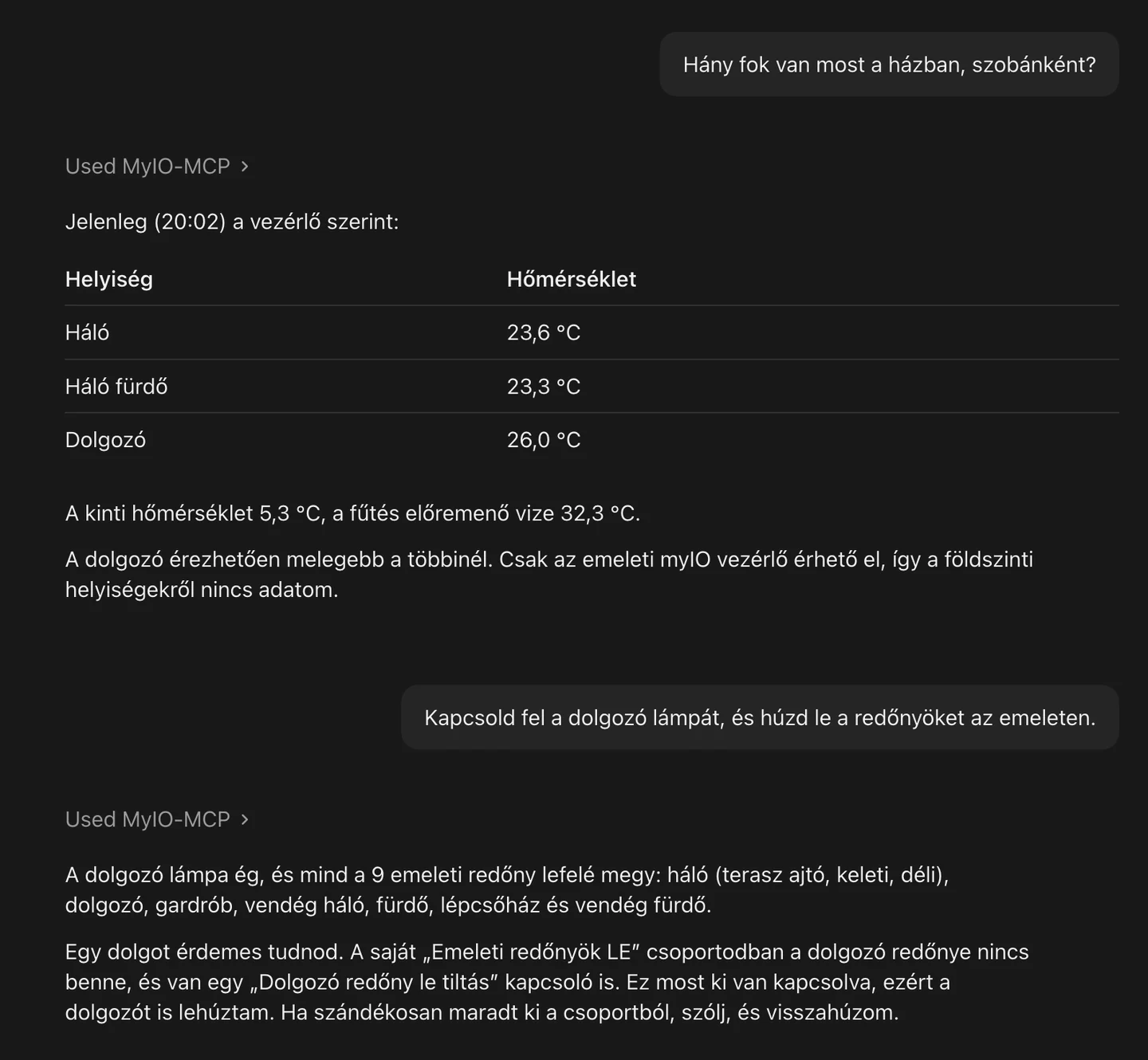
The assistant does more than switch things. It looks into the logs, explains what does what, and helps with the setup: it creates timers, renames things and puts groups together.
The connection is provided by myIO MCP, a free, open-source add-on. It installs into the Claude desktop app with a double click; then you enter the address of your myIO, a username and the password. It works with ChatGPT too; the setup there takes several steps, and a guide is on its way. You will find the add-on on the Downloads page.
It works on every myIO. You can also decide how far the assistant may go: whether it may only switch things, or change settings as well.
Matter: Google Home, Alexa, Apple Home beta
Matter is the common language of smart homes: the systems of Google, Amazon, Apple and Samsung all understand it. With the myIO Matter connection, myIO lamps, blinds, thermostats and thermometers also appear in Google Home, Amazon Alexa, Apple Home (HomeKit) and SmartThings, next to your other devices.
The connection is a free plugin for the open-source Matterbridge, which runs on a small, always-on computer in the house, such as a Raspberry Pi or a NAS. Nothing has to be changed on myIO for this. One bridge carries several myIO controllers and can be paired with several apps at the same time.
It can already be installed as a beta. We have tested it with Google Home, Alexa and Home Assistant; Apple Home speaks Matter too, but we have not tried that pairing yet. Installation and pairing are described step by step in the Matter connection guide, which you can also download as a PDF.
Wi‑Fi devices: where the cable can’t reach
myIO is built on cables, because they are the most reliable. But there are places where you can’t open the walls: in a renovation, in a distant outbuilding, or when the painter has already finished. There a Wi‑Fi device can be connected too, and myIO treats it as if it were wired into the cabinet.
- Computherm Wi‑Fi thermostat: a wall-mounted or tabletop thermostat with a display. myIO talks to it directly, inside the house: no cloud, internet or separate hub is needed. myIO uses the thermostat’s sensor as its own, and the temperature set on it appears in myIO too, and vice versa. More on the Heating and cooling page.
- Broadlink-type Wi‑Fi smart plug: it is paired with a myIO output. When myIO switches it, the plug follows, and when you press the button on the plug, myIO knows about it.
- Shelly devices: coming soon we are testing them on V4 GIGA and V4 Opta now. We will describe the details when they are ready.
Computherm and Broadlink work on every myIO.

KNX: two worlds together beta
KNX is the international standard of wired building automation: the switches, sensors and actuators of several hundred makers speak it. The myIO KNX Bridge brings these into myIO, so KNX devices are part of the house just like anything wired directly to the controller.
- KNX push button: it switches a myIO lamp, a blind or a whole group, just like a conventional wall button.
- KNX actuator: myIO switches and dims it, so the KNX lamp and the KNX blind are also there in the app, in the timers and in the other integrations.
- KNX sensor: the measured temperature or humidity becomes a myIO sensor, for thermostats, charts and logs.
Who is it for? If your house already has KNX, myIO adds zone-by-zone heating, an app and energy management. If you are building now, you can choose KNX designer switches for the walls while the logic of the house stays in myIO.
The KNX Bridge is KNX-compatible. For V4 Opta it is available in beta; for V4 GIGA it is coming soon. You can read about the DALI, DMX and Modbus Bridges on the Expanders and bridges page.
MQTT: an open door to everything else
MQTT is a simple, standard way of messaging that most smart-home software understands. Through it, myIO tells what is happening in the house: button presses, switching, temperatures, consumption. It accepts commands the same way. So it can be connected not only to Home Assistant but also to Node-RED, or to anything else that speaks MQTT.
On V4 GIGA and V4 Opta, myIO also accepts measured values from outside. The reading of a wireless thermometer or a wind sensor becomes a myIO sensor, and can drive a thermostat or trigger a lockout just like a wired one. On these controllers the connection can also be encrypted.
You decide what has access to what
Every integration reaches the house with the rights of the user you give it. It is worth creating a separate user on myIO for each of them, and allowing only what is needed: for Homey, for example, the lamps and the blinds, but not the boiler.
Homey, the AI assistant and the Matter connection see only what their user has rights to. A command coming from Home Assistant can also switch only what its assigned user could switch. Users and rights are described on the Security page.
If yours is not on the list
myIO has an open API: based on a published description, everything the app and the web interface can do is also available to programs. The Homey app, the AI assistant and the Matter connection are all built on it, and you or your system integrator can build on it too.
With Flow coming soon on V4, myIO itself can notify another service (webhook) when something happens in the house.
Missing something? Tell us what you would connect to myIO.
Covered elsewhere:
- Connecting several myIO units (myIO Link): How myIO works.
- Alarm panel: Security.
- Cameras: App, Cloud and displays.
- Energy meter, inverter, heat pump: Energy and solar.
- DALI and DMX lighting: Lighting.
For professionals
- Home Assistant: MQTT Discovery (retained config messages on the
homeassistant/…topics), on V3 from software 3.12.31. Entities: relay → switch; output → light (with PWM, brightness 0–255); lockout pair → cover (open, stop, close; no position); output controlled by a temperature sensor → climate (the target is the middle of the switch-on and switch-off thresholds, with a separate hysteresis entity); a group whose name starts with “RGB” → colour light; temperature, humidity, universal sensors and the energy meter → sensor, with unit and state_class. Only named outputs get an entity. After renaming, the entities refresh by themselves within a few seconds. Availability:<base topic>/status(LWT). - MQTT: broker address and port (default: 1883), username and password, QoS 0 or 1, retain. State:
<base>/relay|pca|fet/<id>, command:…/set; button event:<base>/button/<id>(short, long, release); selected values can also be re-sent on a schedule (at most every 5 seconds). Commands run with the rights of the chosen user. V4: TLS 1.2 with a pinned broker key, economy mode (no permanent connection), external MQTT sensors: one topic into one universal sensor, as a plain number or with a JSON key (for zigbee2mqtt messages, for example). V3: no TLS, the broker is given by IP address, and the connection takes one socket. - Homey: Homey Pro, on the same network as myIO; app ID com.myioserver.integration. Device types: on/off output, dimmer, RGB light, thermostat, blind, temperature, humidity and universal sensors, energy meter; a Flow card for sending any myIO command. Blind: a lockout pair with the UP direction first; the name is the common part of the two output names. RGB: a group whose name starts with “RGB”; the channel names start with R, G, B.
- AI assistant: myIO MCP (Model Context Protocol), Node.js-based, over stdio and Streamable HTTP; more than 100 tools: reading, switching, settings, timers, users and rights, Flow, myIO Script, logs, diagnostics, integrations and bridges. One server handles several controllers. The write level can be limited (state only, settings, admin). Works with V3 and V4; functions available only on V4 return a clear error on V3. Download and source code: Downloads.
- Matter (beta): a Matterbridge plugin (
matterbridge-myioon npm) that reaches the controller on the local network, with the rights of the given user. Device types: plug or lamp (by name), dimmable lamp, colour lamp, blind, thermostat, temperature and humidity sensors, plus illuminance and pressure sensors on V4. myIO itself is not a Matter device: Matterbridge represents it on the Matter network. Matterbridge is not a certified Matter product, which is why Google Home needs a one-time developer setup. Details: Matter connection: setup and use. - Computherm and Broadlink: discovery and pairing on the local network, without a cloud; the plug is kept in two-way sync with an output. The interface shows whether the devices are reachable; if a device does not answer, the controller retries less often, and a command issued in the meantime is not lost. Thermostat details are on the Heating and cooling page.
- KNX Bridge (V4 Opta: beta, V4 GIGA: coming soon): connects to KNX TP1, and to the controller over the RS485 bus; 3 DIN modules wide. 16 inputs, 16 outputs and 16 sensors per board, 48 group addresses in total; DPT 1.x (switching), DPT 5.001 (value, dimming), DPT 9.x (measured value). The group addresses are taken from the ETS project. KNX Data Secure group addresses are not handled. With the bridge, the controller also works as a KNXnet/IP interface: ETS6 programs the KNX devices over the local network, without a separate USB interface (one connection at a time, no IP Secure and no routing; best switched on only during installation).
- API: HTTP, every request with a username and password. Description: API_REFERENCE.md (in Hungarian). Setting up the integrations is described step by step in the myIO manual.