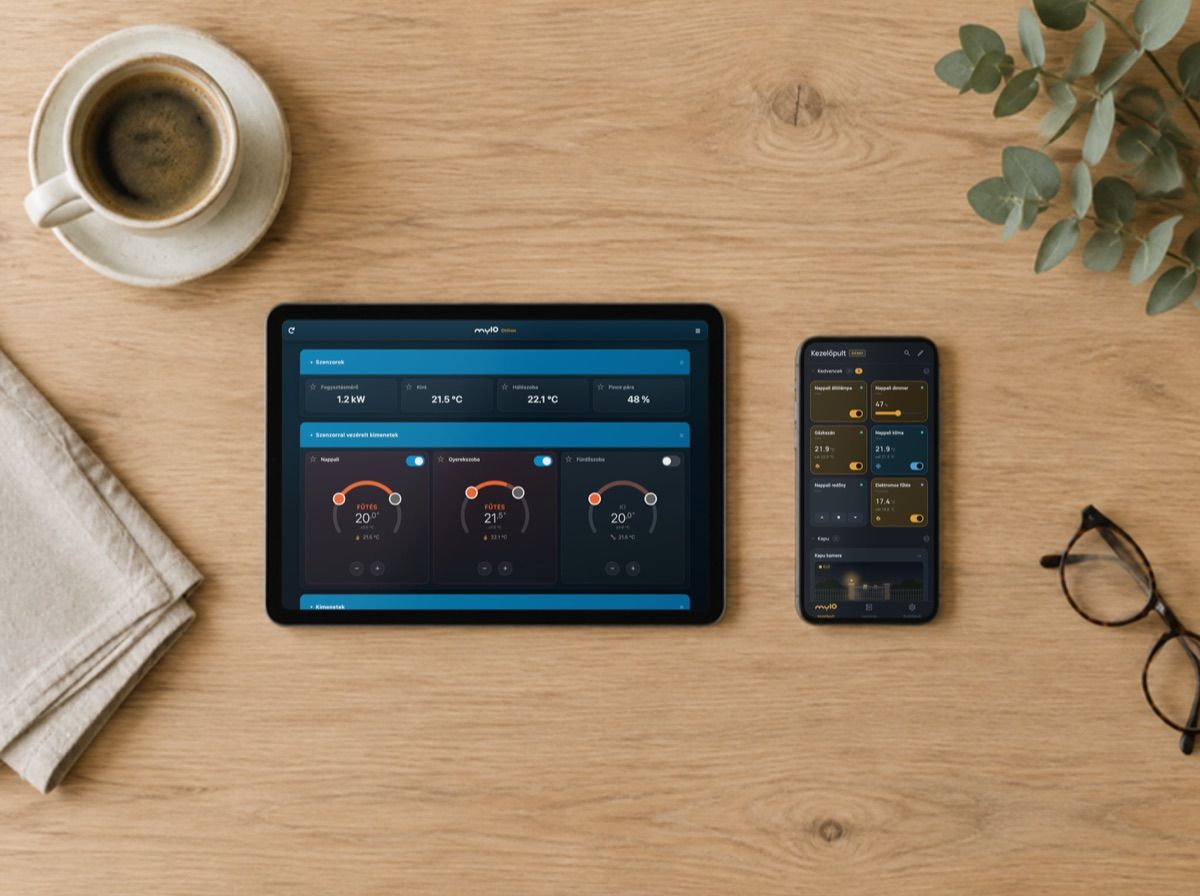
The myIO App puts the whole house on one dashboard: lights, blinds, heating, the gate and the cameras. At home it talks directly to myIO, so it works without the internet, and the app itself needs no cloud and no subscription. If you also want to reach your home while you are away, that is what the optional myIO Cloud is for. All the ways to control your home, from the wall button to voice control, are on the Control page.
Download it and try it now
- For Android: download the myIO App. Once installed, it updates itself.
- For Mac: the myIO App for macOS (ZIP).
- For iPhone, iPad and any computer: the myIO App in the browser. Added to the home screen, it starts like an app.
- Manual: the full myIO App manual.
All downloads, manuals and descriptions in one place: Downloads.
The app and its manual are currently in Hungarian.
You do not need a myIO for this. On first start the app offers demo mode: you can switch the lights, blinds, heating and gate of two made-up homes, “Ház” (house) and “Nyaraló” (holiday home), without signing up. The DEMO badge in the header shows that nothing real is being switched. Once you have your own myIO, you leave demo mode and enter its address.
The dashboard: your home, in your order
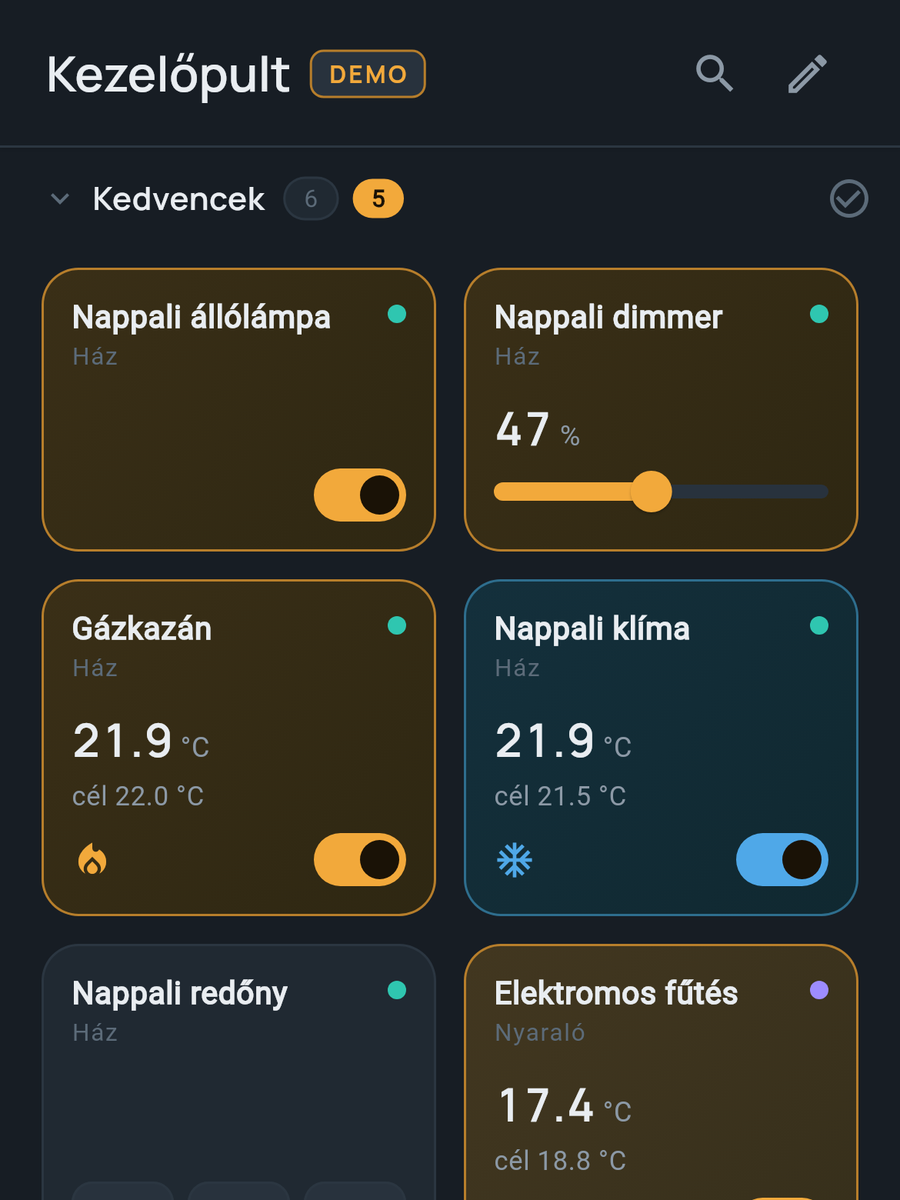
You build the dashboard from tiles. Each tile works the way the device needs:
- you switch a light with one tap, a dimmer with a slider, a coloured light with a colour wheel;
- a blind has up, stop and down buttons;
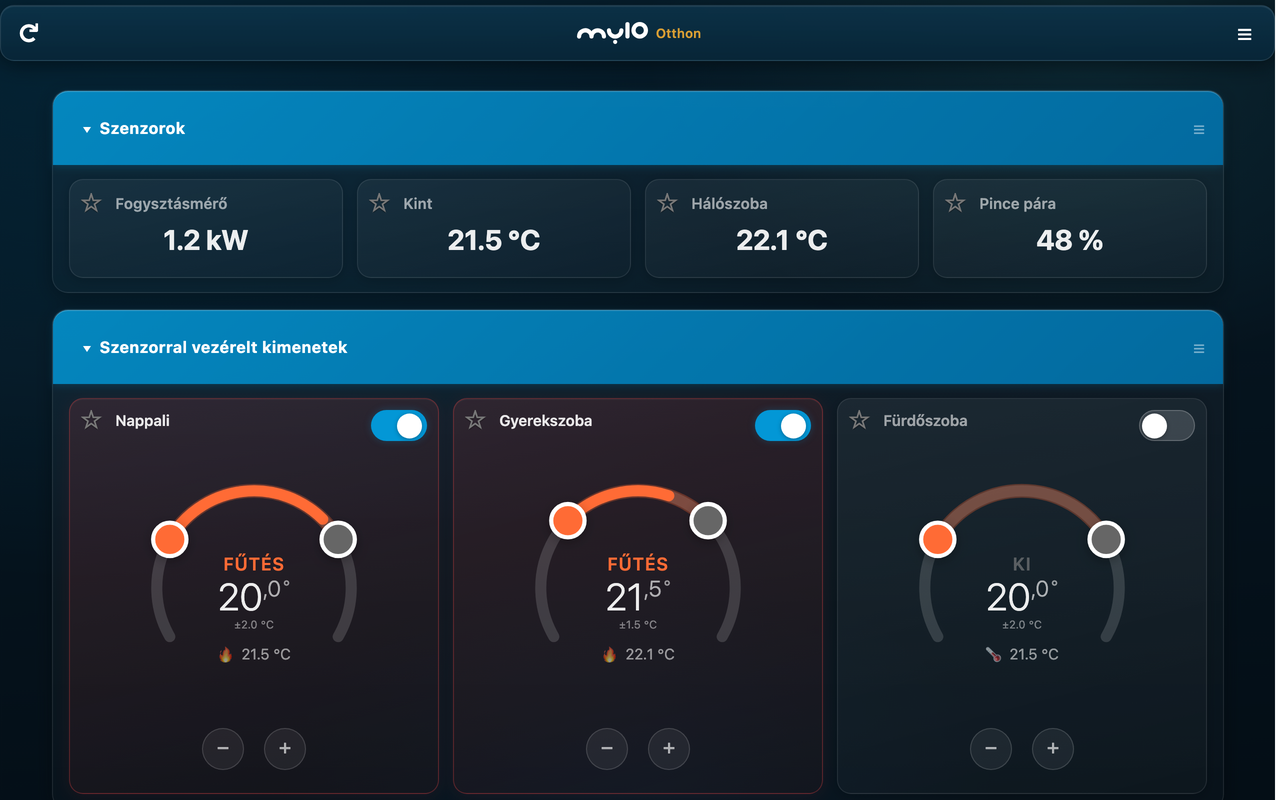
- a thermostat shows the measured and the set temperature, and you adjust it with a curved slider;
- a sensor shows its value live, and a camera tile shows the picture, live when you tap it;
- a scene does several things with a single tap, even across several myIO units.
You arrange the tiles into zones, for example “Favourites”, “Living room” or “Garden”, move them by dragging, and give them your own names and colours. A separate zone shows by itself what is switched on in the house right now. If you have more than one myIO, say in your home and in your holiday house, both appear on the same dashboard.
On V4 you can also save the dashboard to myIO. That way you do not have to build it again on a new phone or for the rest of the family.
It tells you when something is wrong
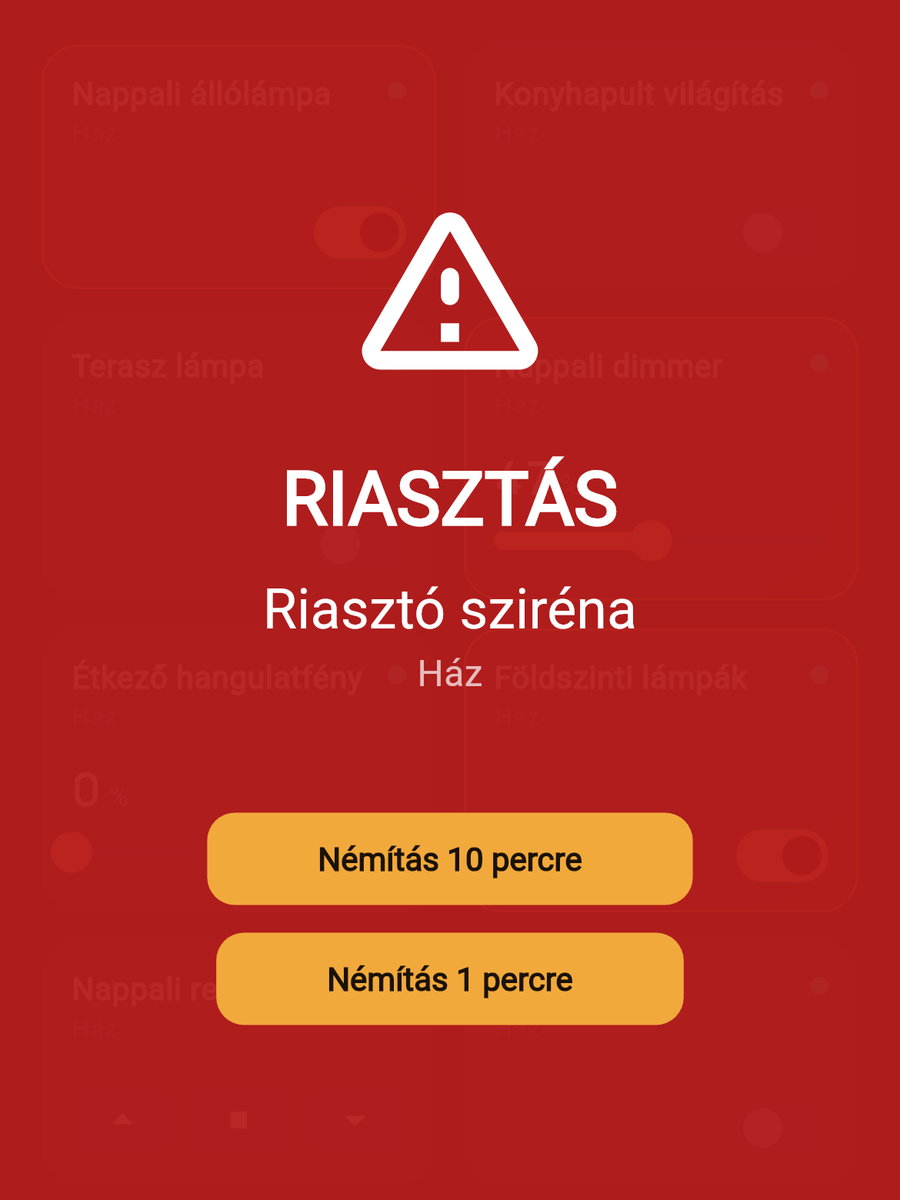
When the alarm goes off, the app shows a full-screen red alarm with a siren sound. On Android it gets through on a locked and muted phone too.
You can ask for a notification on any tile, with your own text and sound, for example when the gate opens or a pump stops. The app can also read the alert out loud, and every notification can be looked up in the notification log. A suitable camera can also alert you on motion and switch something at the same time: at night, for example, it turns on the driveway light.
By voice, from the car, securely
On Android you can also talk to the app beta, and you can open the gate from the car display with Android Auto. There is more on both on the Control page.
You can lock the app with a PIN or fingerprint, and sensitive tiles such as the gate separately too. Everyone signs in with their own user and sees only what they have been given rights to. You can read about this on the Security page.
myIO Cloud: at home, even when you are not
With myIO Cloud you can reach your home from anywhere, from your holiday, from work or from the car, and you do not need to set up your router for it. It works on V4 GIGA and V4 Opta.
- Pairing with a QR code: a QR code appears on the myIO web page, and you scan it with the app. That is all.
- Encrypted connection: all data between myIO and the phone is encrypted.
- Your own rights: the paired phone signs in as the user you choose. Your child’s phone sees only their own room, even remotely.
- Not needed at home: if the internet goes down, the house carries on as before, and at home the app still talks directly to myIO.
myIO Cloud is an optional service. The first year is free; after that it is renewed once a year, with no monthly fee.
You can also reach your home remotely without the Cloud: through a VPN or with port forwarding set up on your router. This works on V3 too. The details are on the Control page.

A tablet on the wall
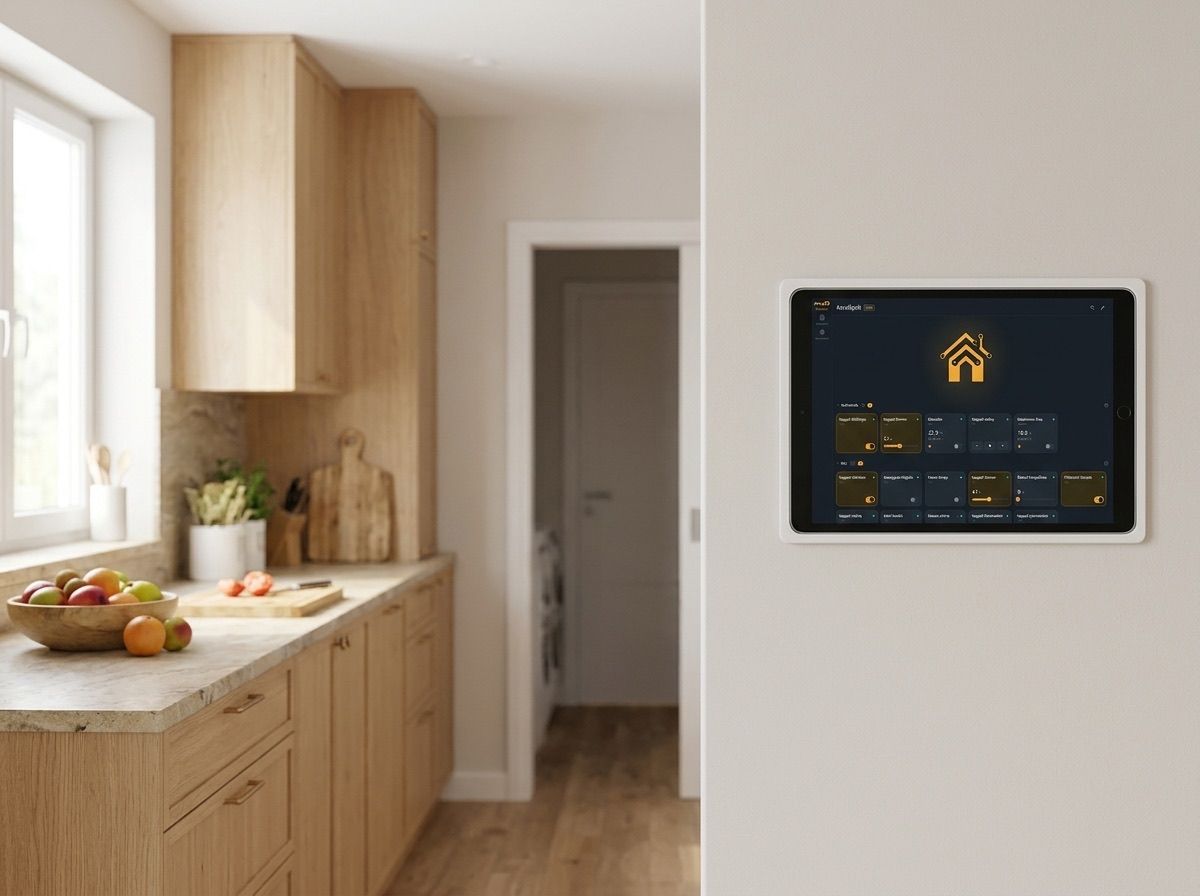
In the kitchen or the hallway, a wall tablet becomes the house’s control panel. Any tablet will do:
- On an Android tablet the myIO App runs. You can switch on continuous listening beta, so in the kitchen you can switch things even while washing your hands.
- On an iPad the browser version runs, added to the home screen as an icon.
- Power: when building or renovating, run power to where the tablet will go, so no cable hangs on the wall. If it will be charging all the time, check whether the tablet offers battery-saving charging.
- Always at hand: set the screen not to turn off while charging, and on Android you can pin the app to the screen so nobody leaves it by accident.
The web interface, in the browser
Every myIO has its own web interface that runs on any phone, tablet and computer, with nothing to install. You can switch things here too, view the temperature and consumption charts, and find every setting.
You choose the look with a theme: dark, light or Cards. The Cards theme gives an app-like home page with large tiles and dial thermostats, and it looks good on a wall tablet too. It can be chosen when the interface’s acceleration (Booster) is switched on, and it works on V3 too. The browser remembers your choice, so you can use a different theme on each device.
What works on which device?
The Android app does the most. The browser version gives you the same dashboard, but in the background the browser limits it.
| Android app | In the browser (iPhone, iPad, computer) | |
|---|---|---|
| Dashboard, zones, several myIO units | yes | yes |
| Alarm on a locked screen | yes | only with the tab open |
| Notifications while the app is in the background | yes | depends on the browser |
| Fingerprint lock | yes | limited |
| Voice control (beta) | yes | depends on the browser |
| Android Auto | yes | no |
| myIO Cloud | yes | no |
| Camera motion alerts | yes | no |
On a Mac, the installable myIO App runs. There is no separate iPhone app: there we recommend the browser version, and if you use Homey or Home Assistant, you can also control myIO from their iPhone apps.
For professionals
- myIO App: Android (APK, self-updating), macOS (ZIP), web/PWA. The user interface is in Hungarian. Full functionality comes with V4; V3 works with the basic functions. Items are tracked by the server ID, so a change of the controller’s IP address does not break the dashboard. Export and import via the clipboard, saving to the server (4.x).
- Tiles: output, dimmer, RGB(W) group (several strips together), blind, thermostat (heating/cooling, curved setpoint control, ±0.5 °C steps), sensor, group, scene (recorded command sequence, across several servers too), ONVIF camera (snapshot or live view, PTZ, presets, image settings).
- Alarm: high-priority notification channel; with a foreground service, the Android app watches servers marked for alarms in the background too, at an economical rate. Some manufacturers’ Android skins slow down background notifications with aggressive battery saving: in that case the app has to be excluded from optimisation.
- Camera motion alerts: with cameras that speak the Sofia/DVRIP protocol (XMEye type, port 34567); notification and/or switching an output, with a 5–300 s pause. Runs in the app, not on myIO: on Android in the background too, on macOS while the app is running.
- myIO Cloud (V4 GIGA, V4 Opta): QR pairing on the controller’s web page, with a 5-minute window; the paired phone runs with the rights of the chosen user (admin cannot be chosen). TLS 1.2 with the controller’s own key pair. Only in the installed app, not from the browser. The first year is free, after that it is an annual-fee service.
- Web interface: at the controller’s IP address or network name (for example myio-nappali.local). Themes: Dark / Light / Cards on 4.x, Classic / Cards on 3.x. The Cards theme is available on the home page loaded from the CDN (Booster switched on); the browser stores the choice. The user interface is open source.
- Web/PWA: depending on the browser, the web app served over https cannot reach a local controller served over http; from the browser, 4.x firmware allows access (CORS). On iOS, ONVIF queries do not work from the browser; a manual snapshot address can be entered there.